Prompt Analytics
The Prompt Analytics page provides detailed insights into how a specific prompt performs across different AI platforms. This is where you analyze individual prompt performance, track brand mentions, and discover optimization opportunities.
The page is organized into six main sections, accessible through tabs at the top:
1. Overview Tab
The Overview tab gives you a high-level view of your prompt's performance.
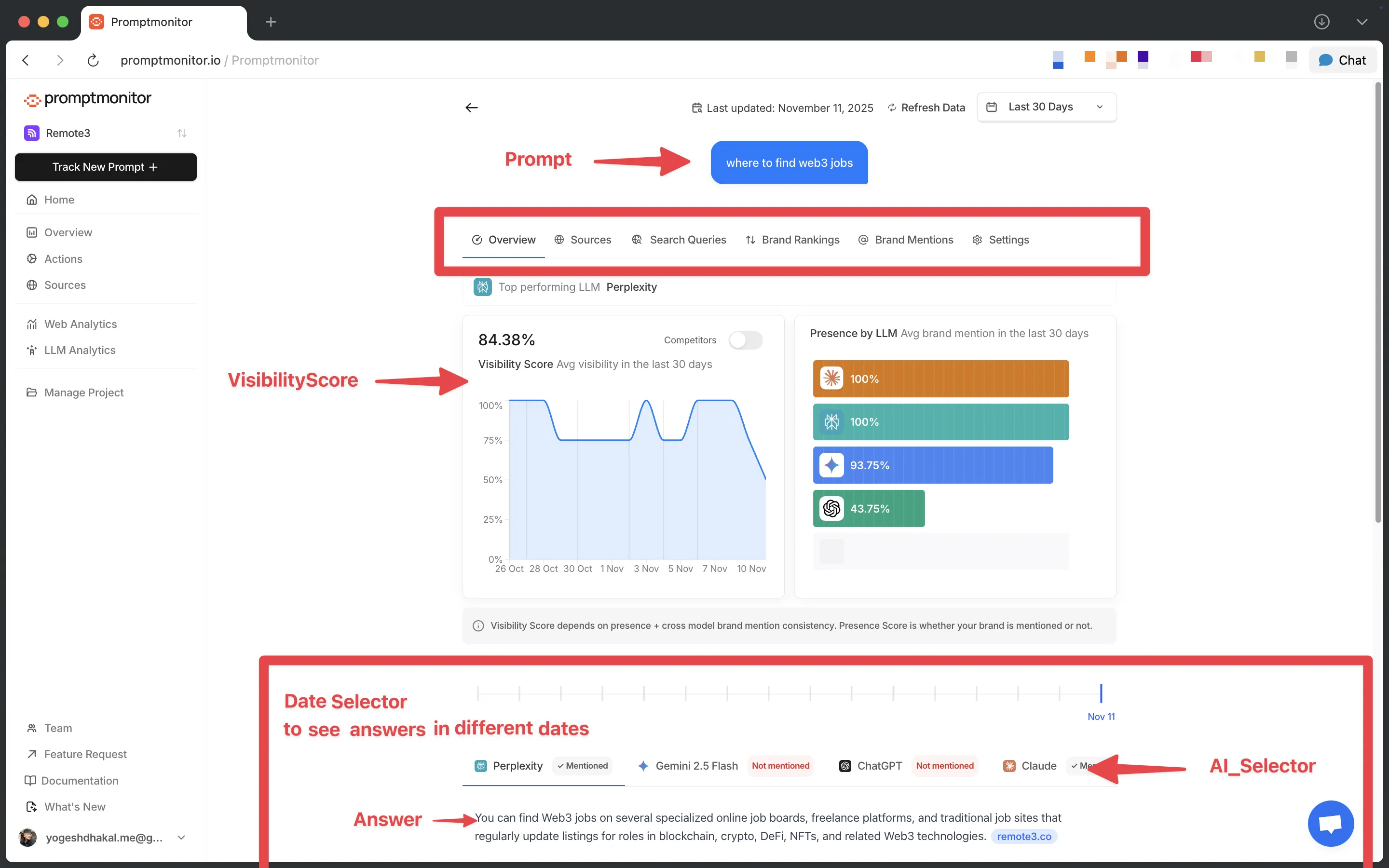
Top Performing LLM
Shows which AI model mentions your brand most frequently for this prompt.
Visibility Score Chart
Tracks your brand's Visibility Score over time for this specific prompt.
Features:
- Area chart showing visibility trends
- Toggle to compare with competitors
- See how you stack up against other brands
Presence by LLM
Horizontal bar chart showing which AI platforms mention your brand.
What it shows:
- Average mention rate for each AI model (ChatGPT, Claude, Gemini, etc.)
- Sorted from highest to lowest presence
Answer Section
View actual AI responses for this prompt.
Features:
- Timeline slider to navigate between tracking sessions
- Tabs to switch between different AI models
- Your brand is highlighted throughout responses
- Hover over citations to see source details
- "Mentioned" or "Not mentioned" badges per model
2. Sources Tab
Displays all sources cited by AI models when answering this prompt.
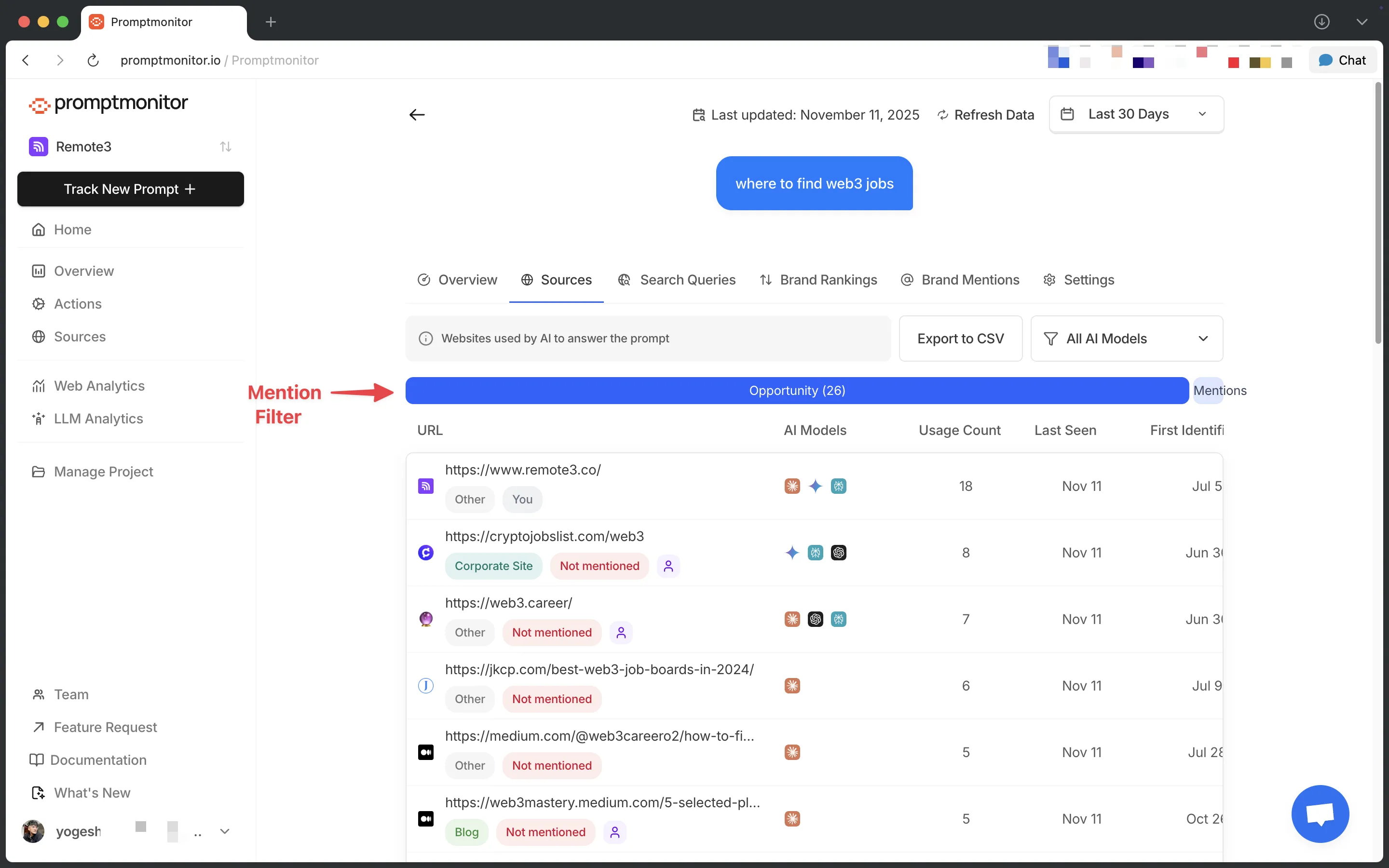
What you'll see:
- URLs cited by AI models
- Usage count: this shows how often the source is being cited in AI answers, helps you understand if it's repeating
- Which models cited each source
- Source metadata (title, domain)
- Last seen: when the source was most recently cited
- First identified: when the source was first discovered
Usage count shows recurring pattern but last seen helps to understand if a source is still being cited.
Why it matters: Understanding which sources AI models cite helps you identify link building opportunities and content partnerships.
3. Search Queries Tab
Shows search queries AI models used to research answers to your prompt.
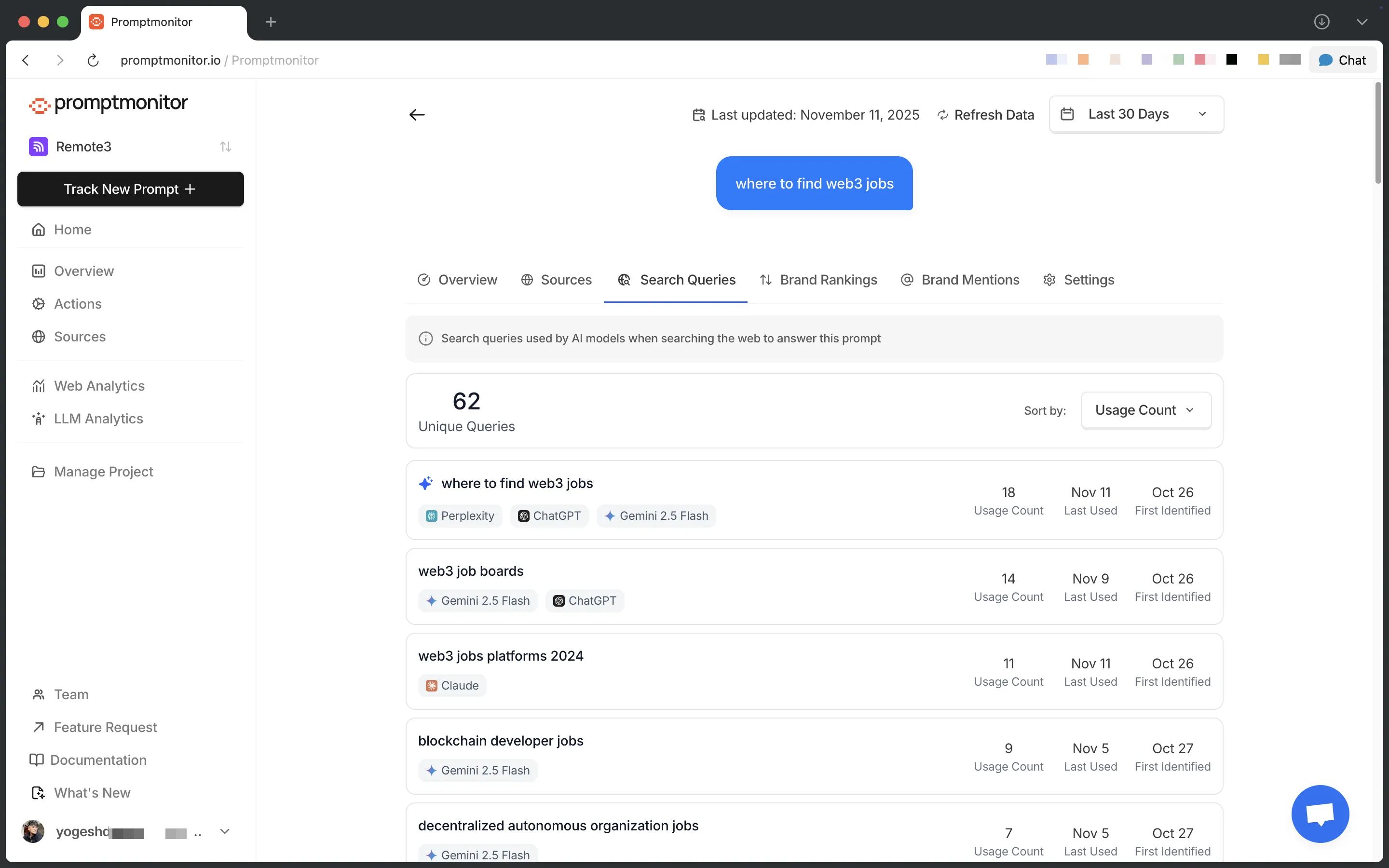
It's like keywords in SEO. Like humans, AI has to search the web and when they do they create a query.
What you'll see:
- Queries used by AI models
- Frequency of each query
- Which models used each query
- When queries were first/last used
Why it matters: Reveals how AI models interpret and research your prompt, giving insights into what content to create.
4. Brand Rankings Tab
Shows how your brand ranks against competitors for this prompt.
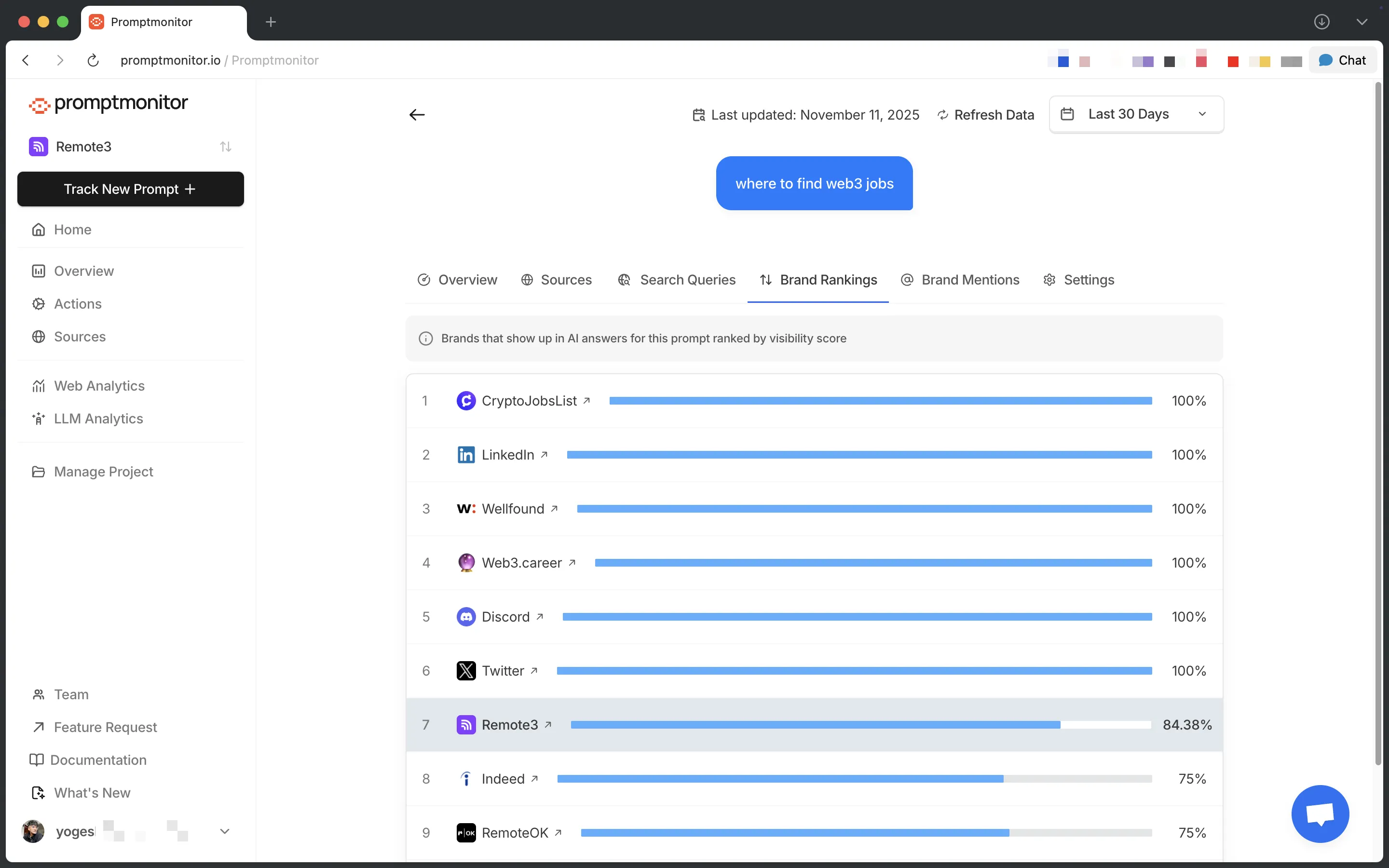
What you'll see:
- Your brand's position
- Top 10 competing brands
- Visibility scores for each brand
- Brand logos and websites
Why it matters: Understand your competitive position and identify brands to monitor or outrank.
5. Brand Mentions Tab
Detailed view of every time your brand was mentioned.
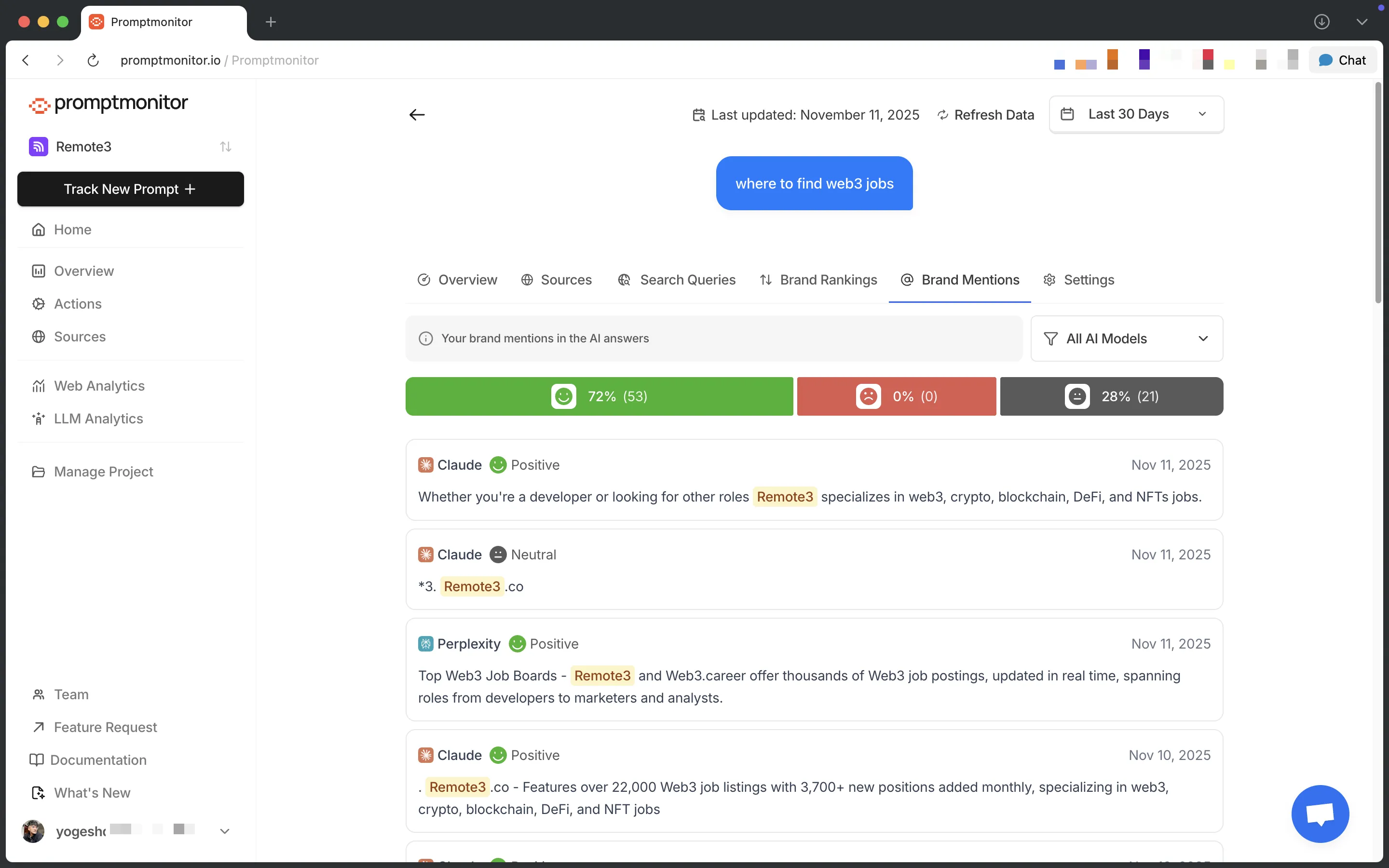
Sentiment Filter Bar Filter mentions by sentiment:
- Positive
- Negative
- Neutral
Shows count and percentage for each sentiment type.
Model Filter Filter mentions by specific AI model to see platform-specific sentiment.
Mentions Table Lists all brand mentions with:
- Context snippets from AI responses
- Sentiment indicators
- AI model that mentioned you
- Timestamps
- Expandable view for full response context
Why it matters: Monitor how AI platforms talk about your brand and identify sentiment patterns.
6. Settings Tab
Manage prompt configuration and settings.
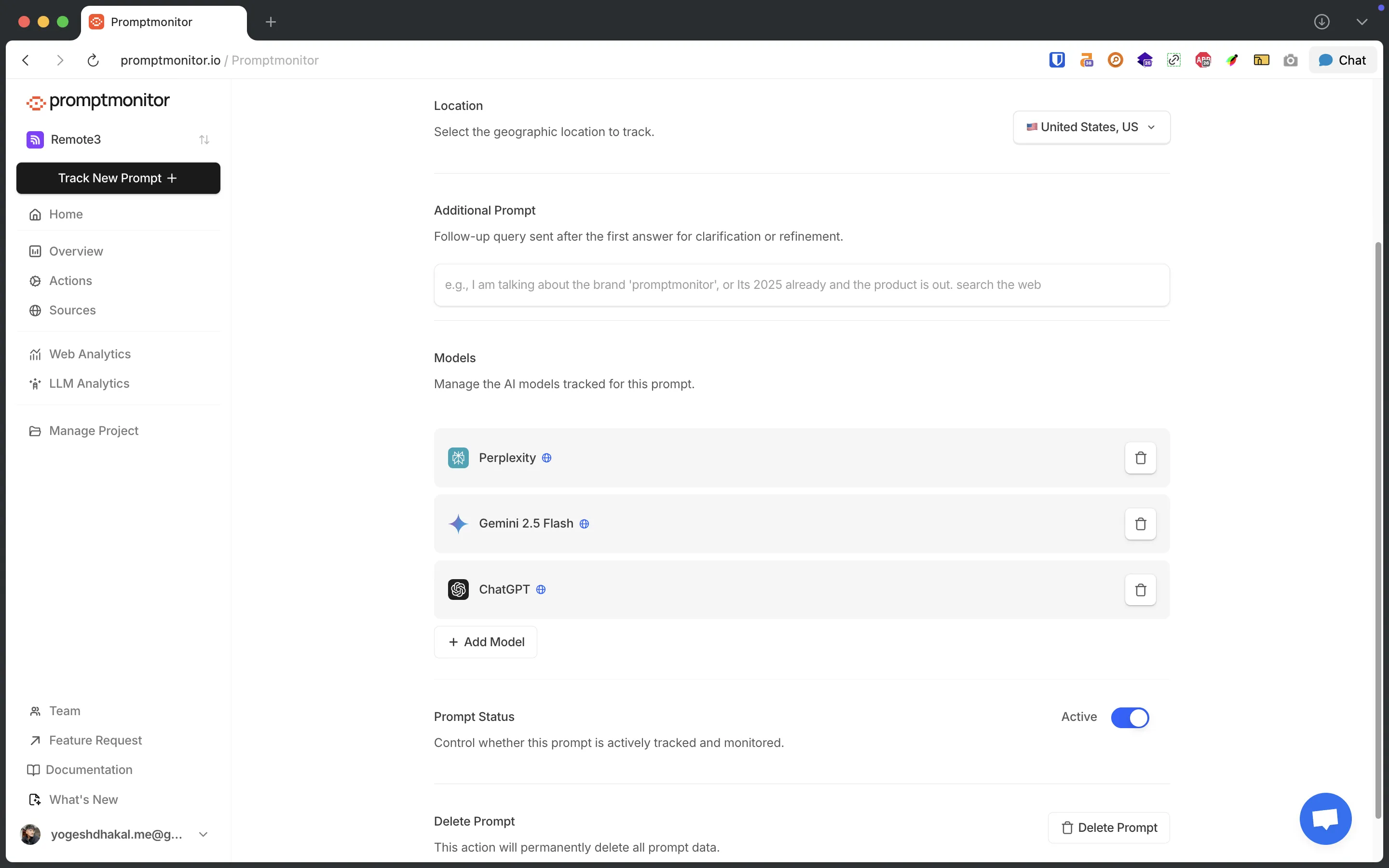
Available actions:
- Change location (when you change it, it will use the new location in future answers only, this does not affect previously generated answers)
- Additional prompt: for ChatGPT they can add an additional prompt, it's a follow up answer. Sometimes AI don't understand what you mean and want you to clarify for generic terms which can mean a lot of things, or confusing terms etc. If they see such clarification answer from AI in the overview page they can update this to give more context to AI.
- Update models: they can update AI they want to track, again only affects future ones
- Update prompt status: they can set it to inactive which will skip the data refresh for this prompt or they can set it back to active
- Delete prompt
Related Documentation
- Read Metrics Overview to understand how metrics are calculated
- Learn How to Track a Prompt