How to Track a Prompt?
This guide will walk you through creating and tracking a prompt in Promptmonitor to monitor your brand's visibility across AI platforms.
What is Prompt Tracking?
When you track a prompt, Promptmonitor automatically runs that query across multiple AI models (ChatGPT, Claude, Gemini, Perplexity, etc.) on a regular schedule. It analyzes the responses to see if and how your brand is mentioned, giving you visibility into your AI presence.
Unlike keywords in SEO where data can be instantly accessed, in GEO (Generative Engine Optimization) we have to run the query each time, which takes time to process.
Step-by-Step Guide
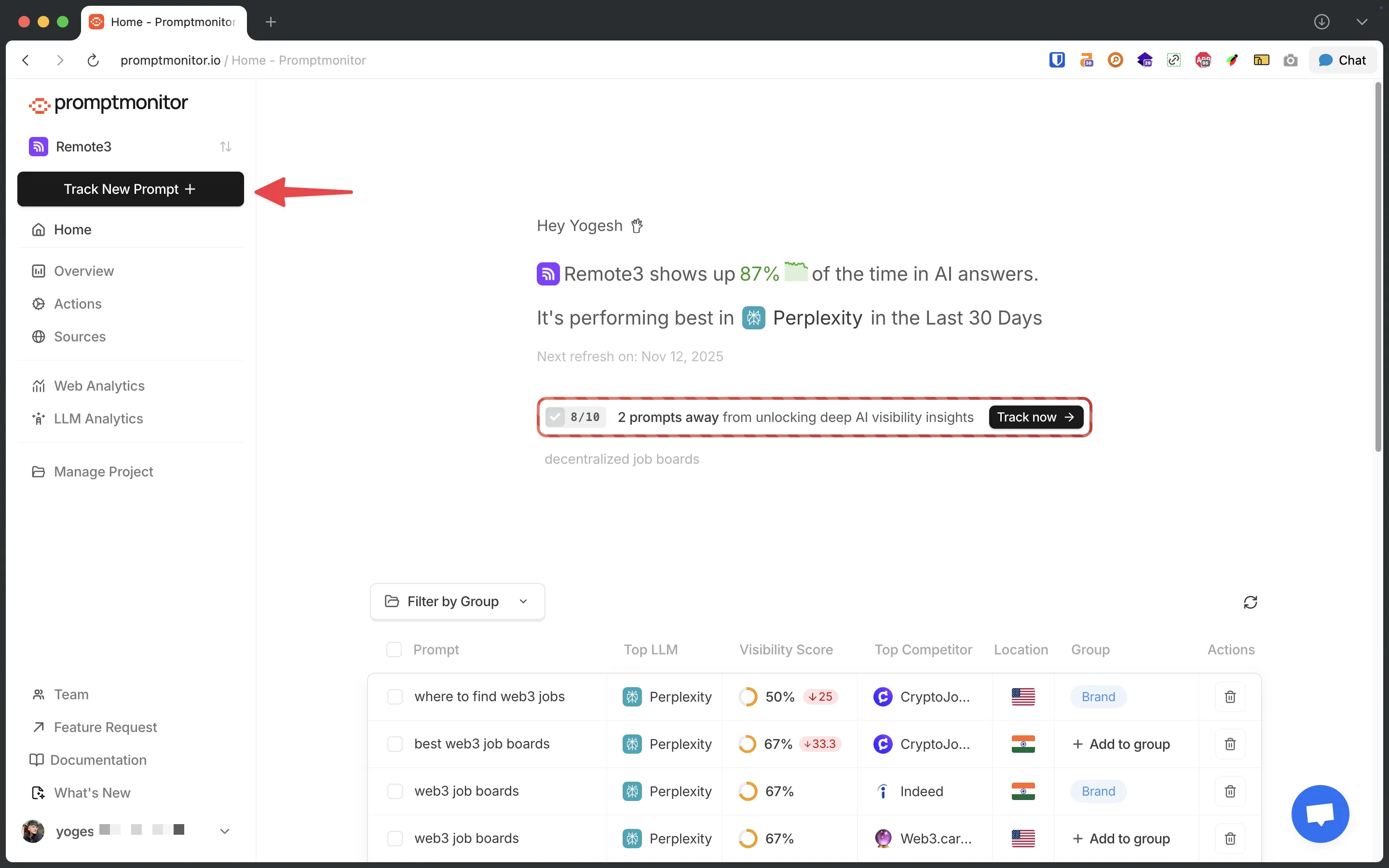
1. Navigate to the Prompts Page
From your project dashboard, click on "Track New Prompt" button.
2. Enter Your Prompt

In the large text input area, type the query you want to track.
Tips for effective prompts:
- Start with keywords similar to how you track keywords for SEO
- Focus on money prompts/queries where your brand should appear in answers - basically what drives revenue
Examples:
- "project management software"
- "best CRM for startups"
- "email marketing tools"
- "SEO optimization services"
- "affordable web hosting"
For most users, you can skip to step 5 and just click "Track Prompt"!
3. Customize AI Models (Optional)
If you want to test your prompt on different AI platforms:
- Click the "Select Model Group" dropdown
- Choose "New Group" to create a custom selection
- Select from available AI platforms:
- ChatGPT
- Gemini
- And more...
- Click on any AI platform to add it to your selection
- You can select multiple platforms to test across different AIs
4. Select Location(s) (Optional)
If you want to test how AI responses vary by location:
- Click the "Select Location" dropdown
- Choose from your saved locations
- You can select multiple locations if you want to track regional differences
- If your desired location isn't listed, click "Add new location" (see our How to Add Locations guide)
5. Track the Prompt
Once you've entered your prompt, click the "Track Prompt" button.
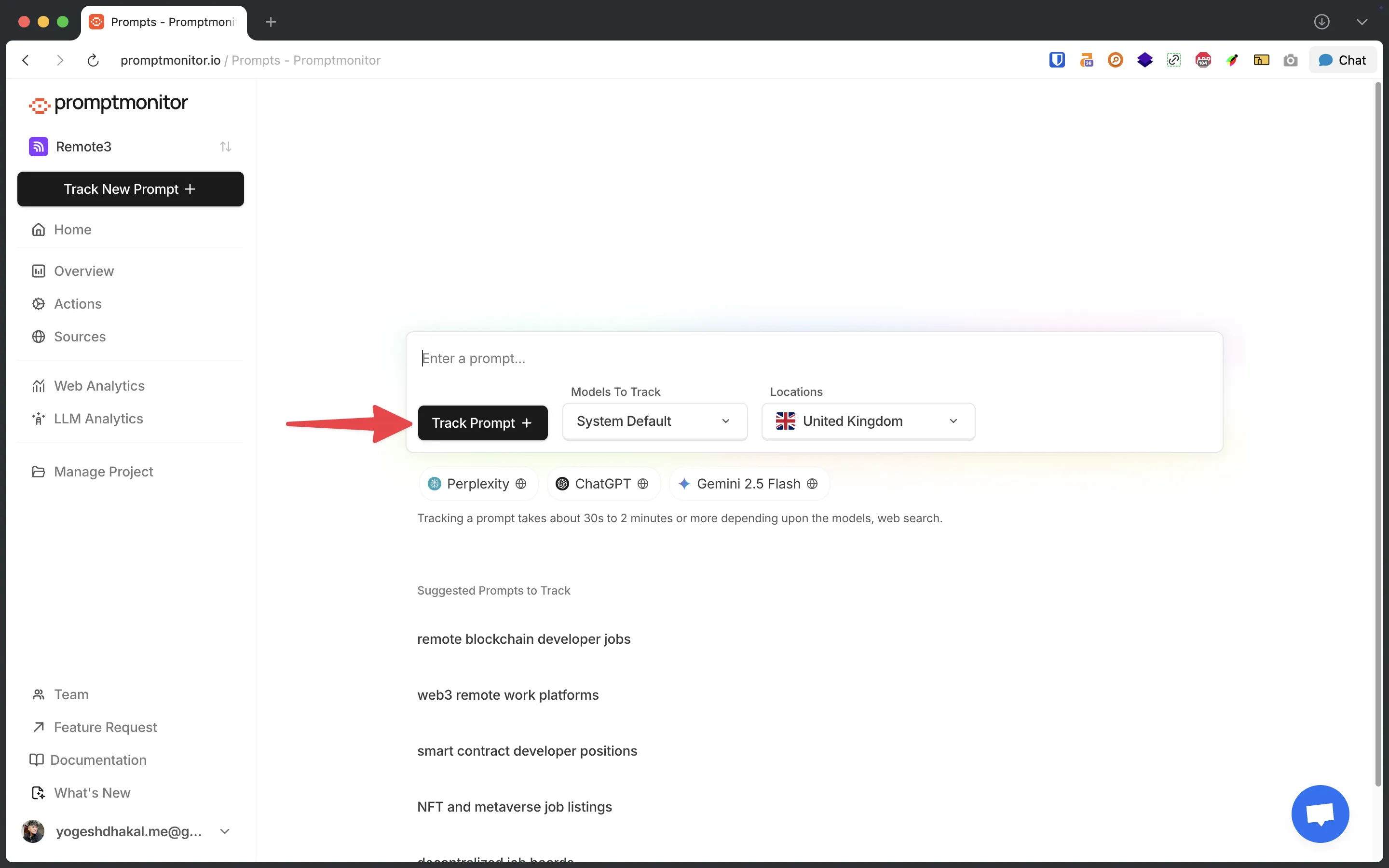
What happens next:
- Your prompt is in processing and can take 10-15 minutes
- You can monitor progress in your dashboard
- Once completed, you'll receive an email notification
Best Practices
1. Start with 5-10 Strategic Prompts
Focus on queries where your brand should appear rather than creating hundreds of prompts.
2. Mix Query Types
- Comparison queries ("best X vs Y")
- How-to queries ("how to do X")
- Recommendation queries ("top X for Y")
- Problem-solving queries ("how to fix X")
3. Focus on Revenue-Driving Queries
Prioritize prompts that align with your business goals and revenue generation.
4. Review Results Weekly
Check your dashboard regularly to spot trends and opportunities.
Next Steps
- Read Metrics Overview to understand what is visibility score
- Learn about Understanding Prompt Analytics
- Explore Actions Page to find content opportunities
Need Help?
If you have questions or run into issues, reach out to our support team or check our other documentation guides.